Sync2Sheets vs Excel Exporter for Notion
They solve different problems. Sync2Sheets keeps a Notion database and a Google Sheet in sync, both ways, without anyone pressing a button. Excel Exporter for Notion writes a formatted Excel file when you ask for one. If your team lives in Google Sheets, Sync2Sheets is the better tool.
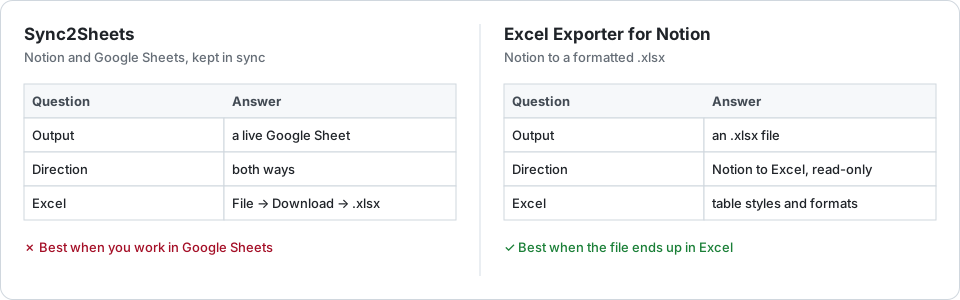
Side by side
| Need | Excel Exporter for Notion | Sync2Sheets |
|---|---|---|
| What you get | An .xlsx file, when you export | A Google Sheet kept up to date; .xlsx via File → Download |
| Direction | Notion to Excel only; nothing in Notion changes | Better: Both ways: edits in the sheet can update Notion |
| Freshness | A snapshot per export; scheduled on Premium | Better: Automatic, every 2 hours to every 15 minutes by plan |
| Excel formatting | Better: Table styles, Notion number formats, colours, bold and italic | What Google Sheets keeps when it saves as .xlsx |
| Price | Better: Free up to 100 rows per sheet; $9 a month or $99 a year | $15 to $49 a month (3 databases to unlimited); 7-day free trial |
| Accounts | Notion | Notion and Google |
Choose Sync2Sheets if
- your team works in Google Sheets rather than Excel;
- edits made in the sheet should flow back into Notion;
- the numbers must stay current without anybody exporting them.
Choose Excel Exporter for Notion if
- the file ends up in Excel — sent to finance, a client or an accountant;
- you want one view, with its filter and columns, formatted the way Notion shows it;
- you export now and then, and a free tier or one plan per workspace suits you better;
- you would rather your Notion data did not pass through a Google account.
Nothing stops you using both: a live sheet for the team, an Excel file for the monthly report.
Try it on your own database
Free for up to 100 rows. No credit card. You choose which pages and databases to share on Notion’s consent screen.
Questions
Can Sync2Sheets give me an Excel file?
Indirectly. It syncs to Google Sheets, and its own guide suggests downloading the sheet with File, Download, Microsoft Excel (.xlsx) whenever you need an Excel file.
Does Excel Exporter for Notion sync both ways?
No. The connection is read-only: it reads a database or view and writes an Excel file. Nothing you change in the file goes back to Notion.
Can an Excel export stay up to date on its own?
On Premium, a saved preset can run daily, weekly or monthly and email you the download link. Each run is a new file, not a live sheet.