Notion Agent vs Excel Exporter for Notion
Since Notion 3.6, Notion Agent can turn a database into an Excel workbook from a prompt, formulas and charts included, on Business and Enterprise plans. Excel Exporter for Notion does one narrower thing on every plan: the same formatted export, each time you click.
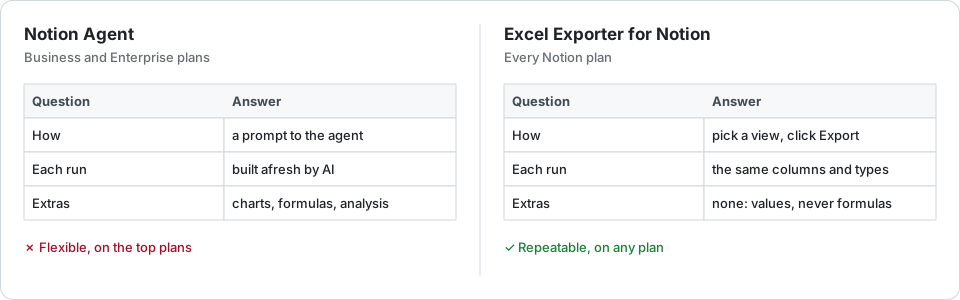
Side by side
| Need | Excel Exporter for Notion | Notion Agent |
|---|---|---|
| Notion plans | Better: Every plan, Free and Plus included | Business and Enterprise |
| How you ask | Pick a database or view, click Export | Describe the workbook in a prompt |
| Each run | Better: The same columns, types and formatting; previewed first | Built afresh by AI, so worth checking |
| Charts, formulas, analysis | None: values only, never Excel formulas | Better: Can add formulas, charts and several sheets |
| Price | Free up to 100 rows per sheet; $9 a month or $99 a year | Part of the Business or Enterprise subscription |
When Notion Agent is the better choice
You are on Business or Enterprise and you want analysis rather than a copy of the data: a pivot by quarter, a chart, a model with working formulas. Ask the agent. The exporter does not build any of that.
When the exporter is
You are on Free or Plus; or you want the same file every week, with no prompt to write and nothing to double-check. The exporter maps each property by fixed rules — relations as titles, dates as date cells, formulas as their typed values, as the formulas guide explains — and the twenty rows you preview are the rows the file holds.
Try it on your own database
Free for up to 100 rows. No credit card. You choose which pages and databases to share on Notion’s consent screen.
Questions
Which Notion plans can create Excel files with Notion Agent?
Business and Enterprise, at the time of writing. Notion’s Free and Plus plans do not include the agent that creates files.
Does Excel Exporter for Notion use AI?
No. Every property type is mapped by fixed rules, so the same database gives the same file every time, and what the preview shows is what you download.
Can I use both?
Yes. They do not overlap much: the exporter for the recurring, formatted copy of a view, the agent for one-off analysis built on top of the data.